



The same team.
Far more possibilities.
Your people focus on their work. Their AI assistants and automations move everything else forward alongside them.
Turning conversations into sales.
Target prospects identified
Without spending hours looking for people to contact
Prospect records enriched
Decision-makers, contact details and context brought together
Personalised follow-ups prepared
Unanswered opportunities no longer get forgotten
More opportunities to work on. Less time spent finding them.
What about my team?Resolving the cases that matter.
Urgent enquiries identified
Even when messages arrive from every direction
Client context reconstructed
Without searching through emails, the CRM and folders
Replies to recurring questions prepared
Without writing the same explanation ten times
More clients supported. Fewer requests piling up.
What about my team?Keeping the business running.
Missing documents detected
Document requests are ready to send
Overdue payment reminders prepared
Late invoices surface with their follow-up history
Figures consolidated and checked
Discrepancies flagged without stitching spreadsheets together
More cases moving forward. Less time chasing them.
What about my team?Remove what weighs you down.
Build what helps you move forward.
We start with your business. We simplify what gets in the way, build what gives you time back, then put you in control.
Real work.
Systems taking shape.
Client projects, personal products. And training to share the method.
Explore the projects- Client project
Ulyces
An AI agent turns links received on WhatsApp into Canva content ready for the editorial team to review.
Project previewExplore - Client project
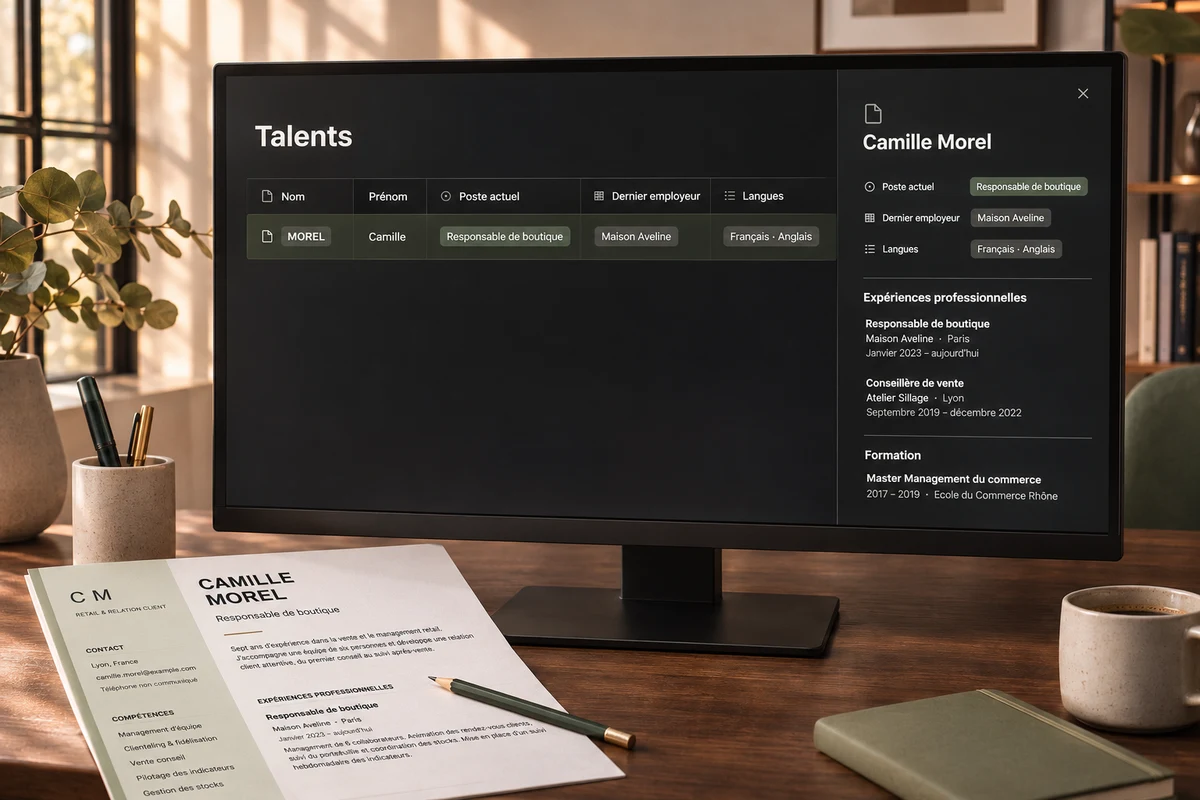
Luxe Insight
A Notion CRM and ATS with CV data extraction, including scanned documents, to make recruiters’ work easier.
Project illustrationExplore - Client project
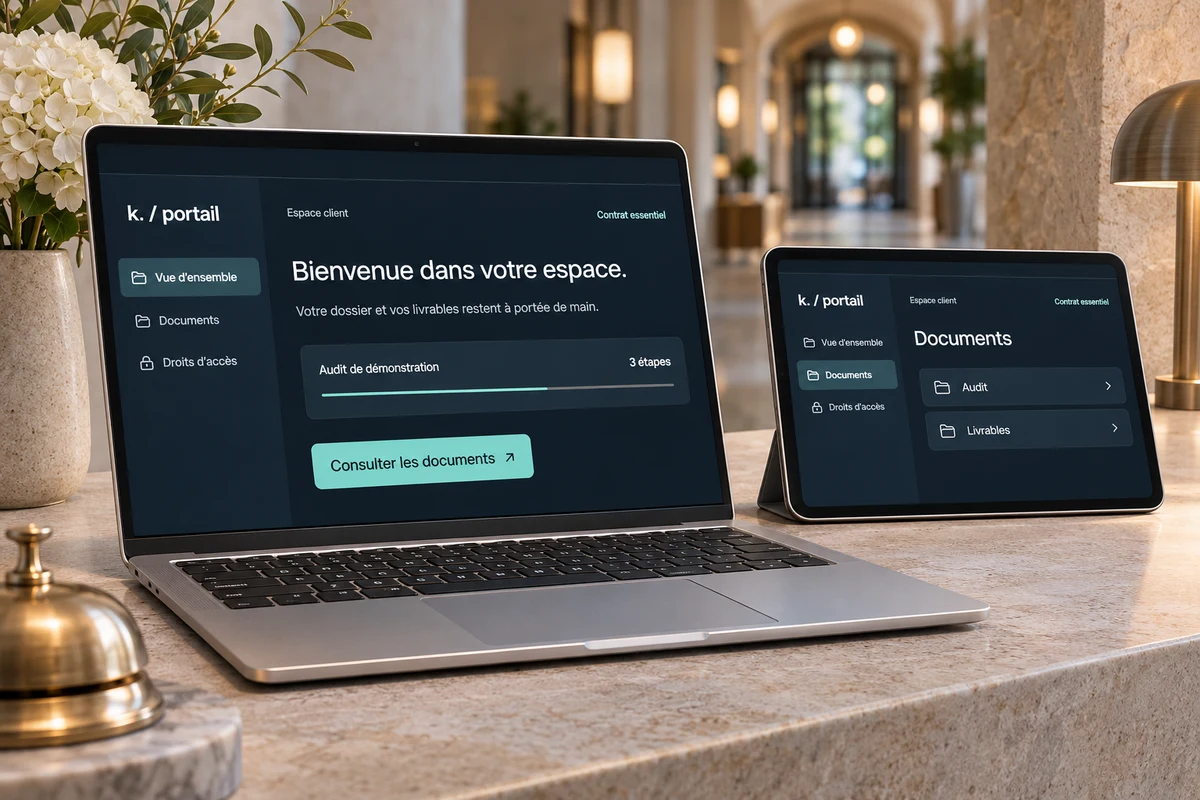
KL Conseil
A completed Softr and Airtable portal giving each client access to the audits and services included in their contract.
Project illustrationExplore - Client project · AI training
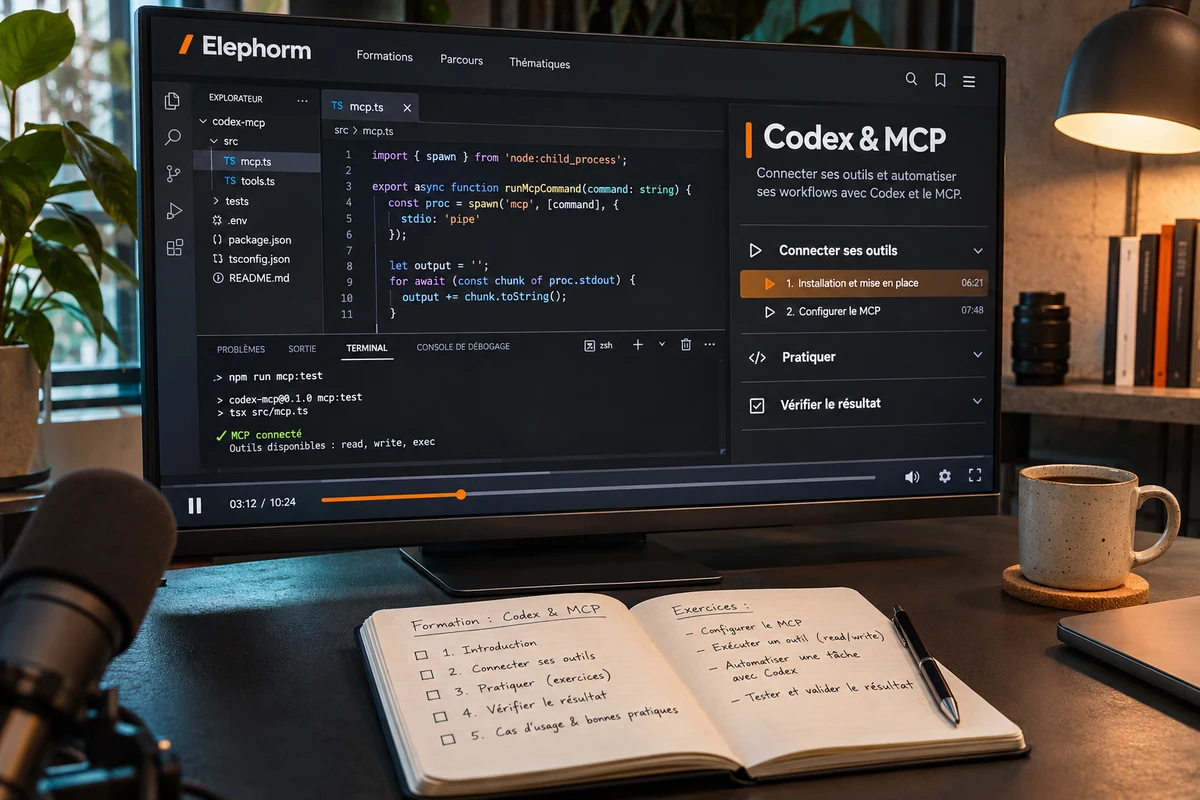
Elephorm
Codex and MCP courses to teach people to build with AI, connect their tools and check the results.
Project illustrationExplore - Client project
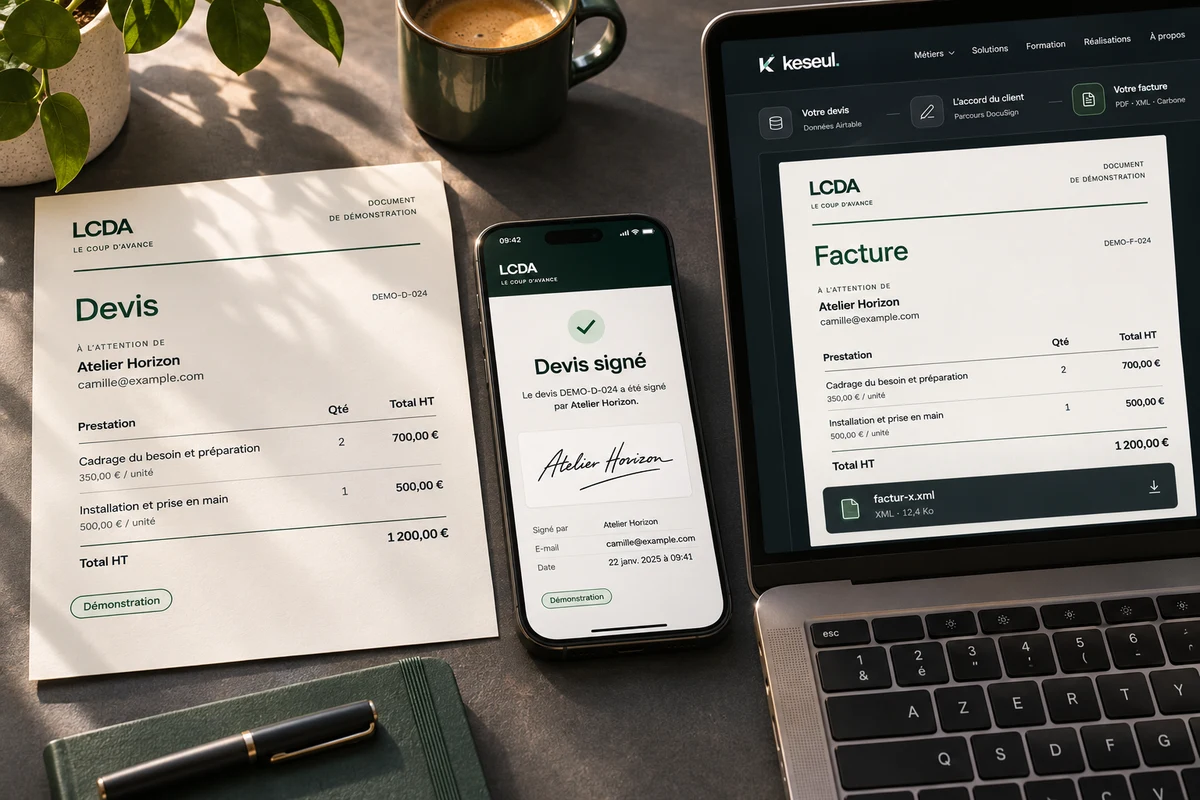
LCDA
Automated quote delivery for signature and Factur-X invoice generation using Airtable data.
Project illustrationExplore - Personal product
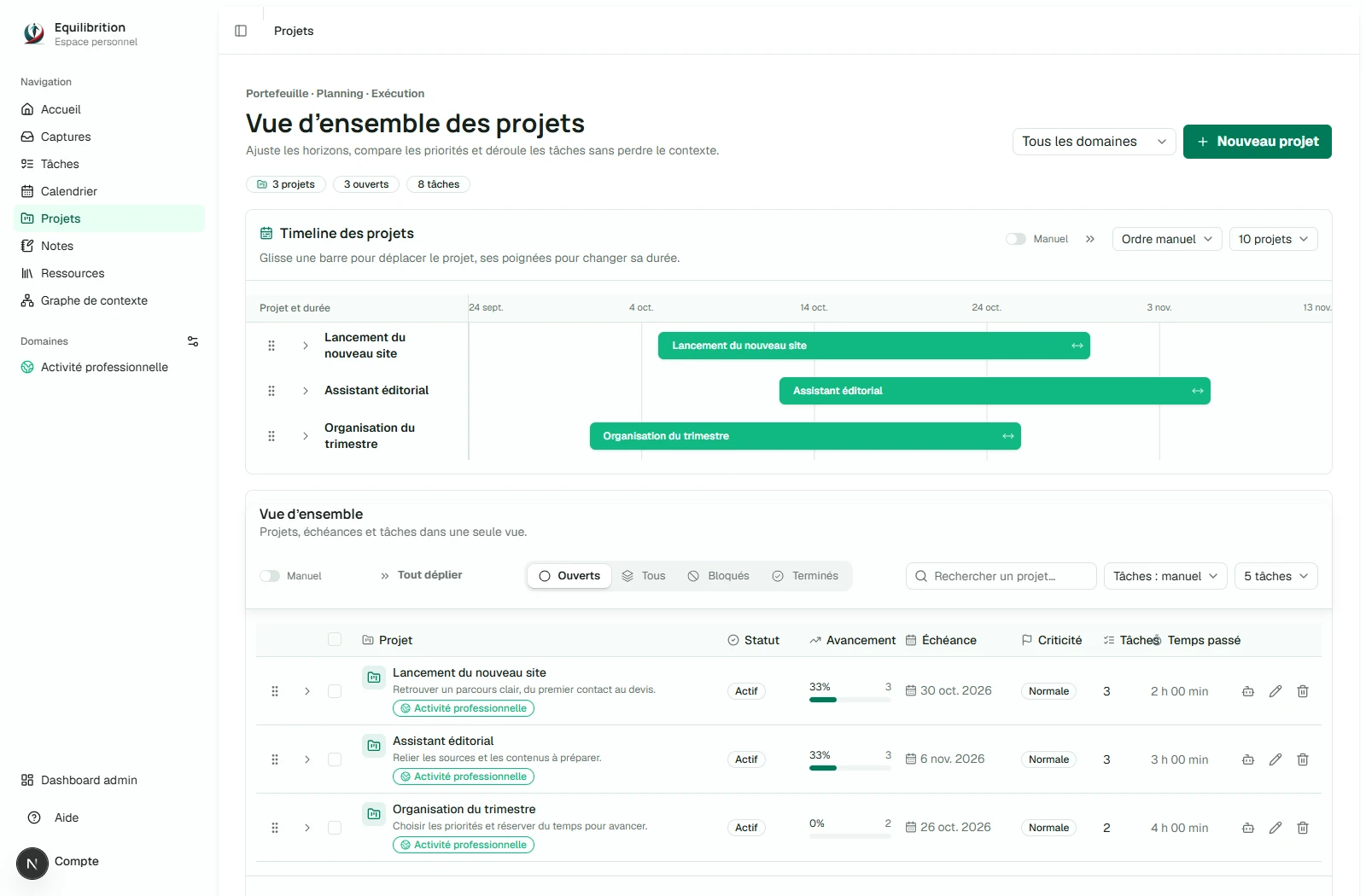
Equilibrition
A workspace built from end to end where users and their AI assistants share projects, tasks and context.
Project previewExplore - Personal product
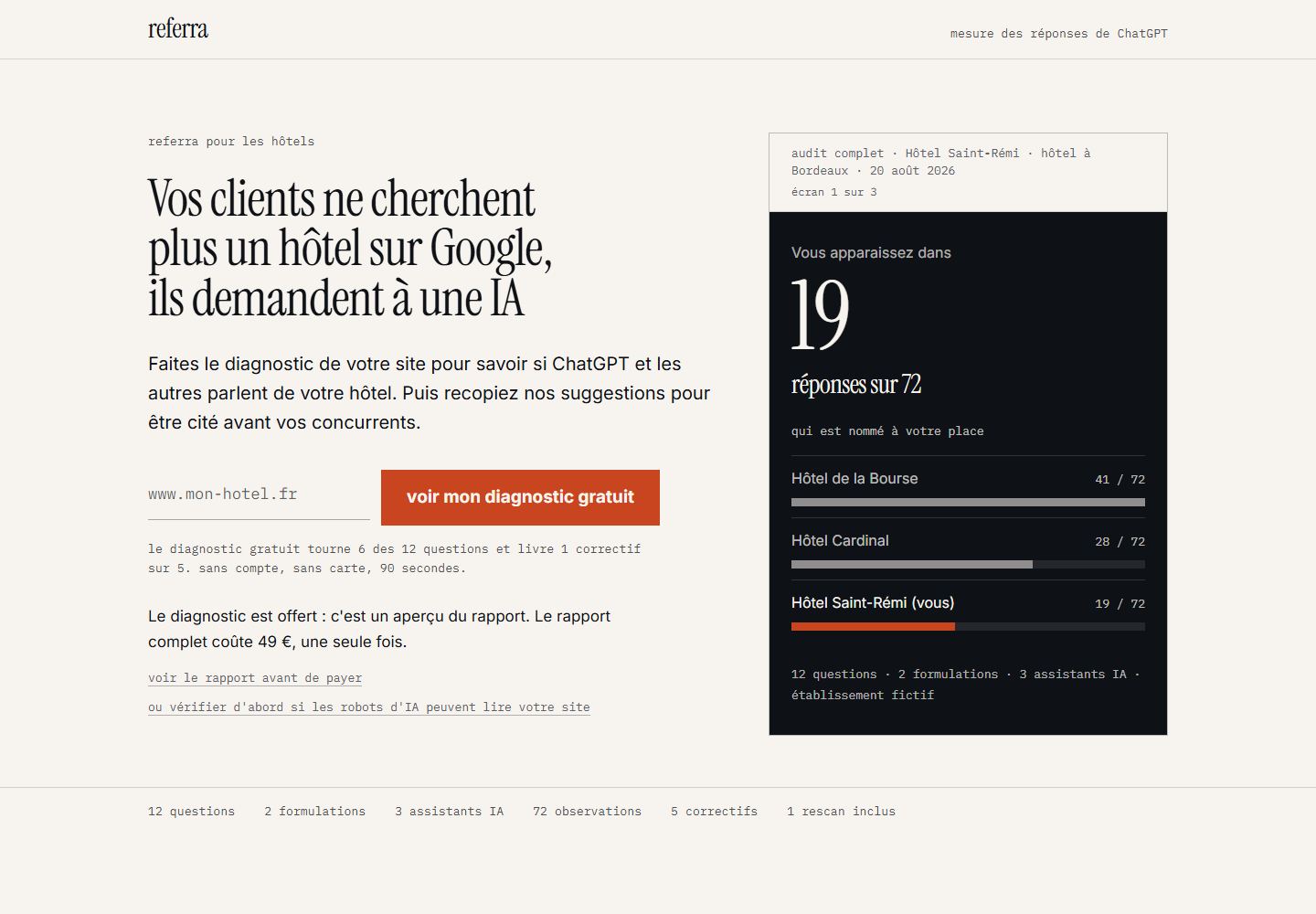
Referra
An AI-answer visibility diagnostic to help businesses identify what to improve first.
Project previewExplore - Personal product
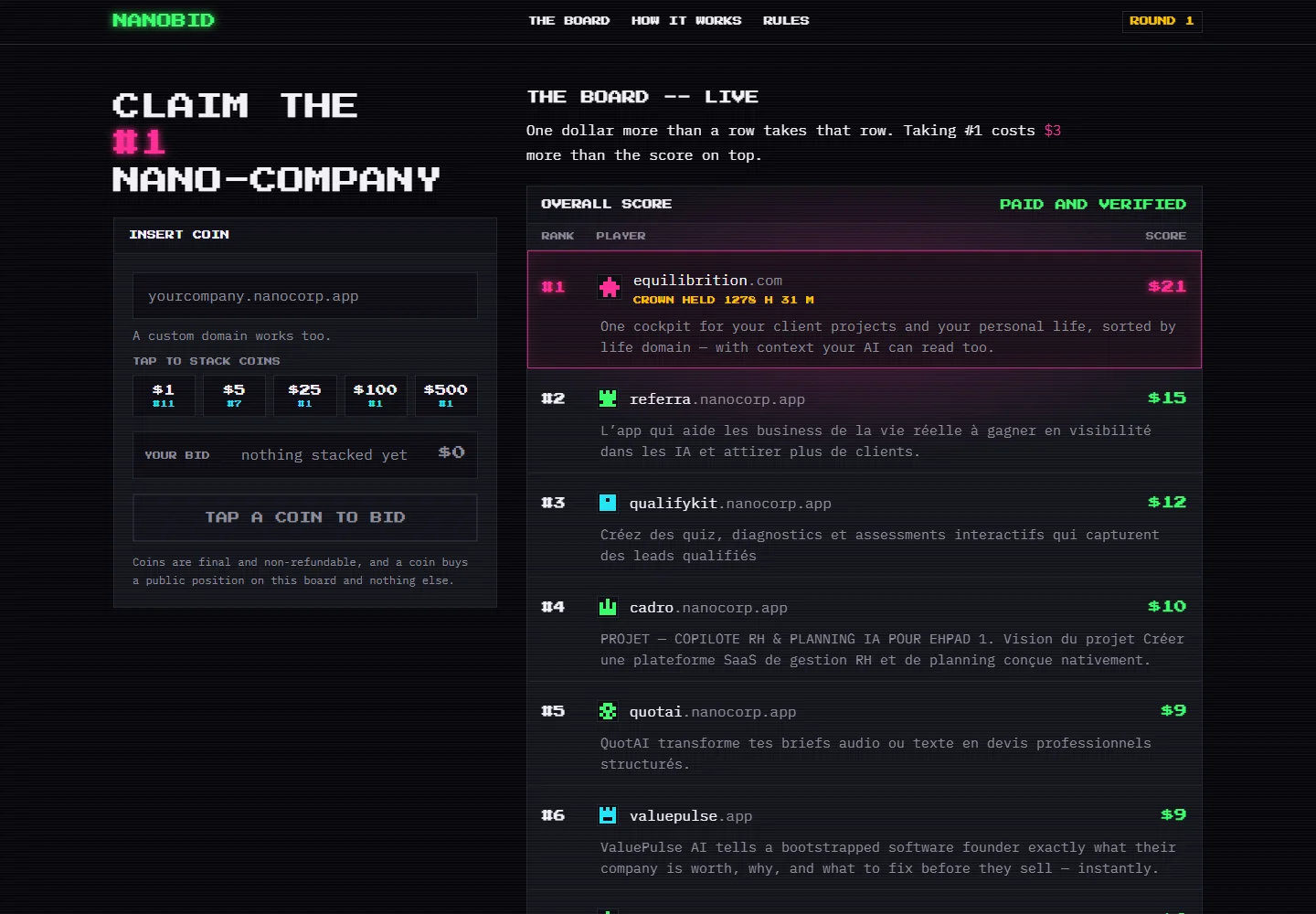
NanoBid
A paid-visibility platform developed from end to end, linking the amount committed to a position in a public ranking.
Project previewExplore - Personal product
QuotAI
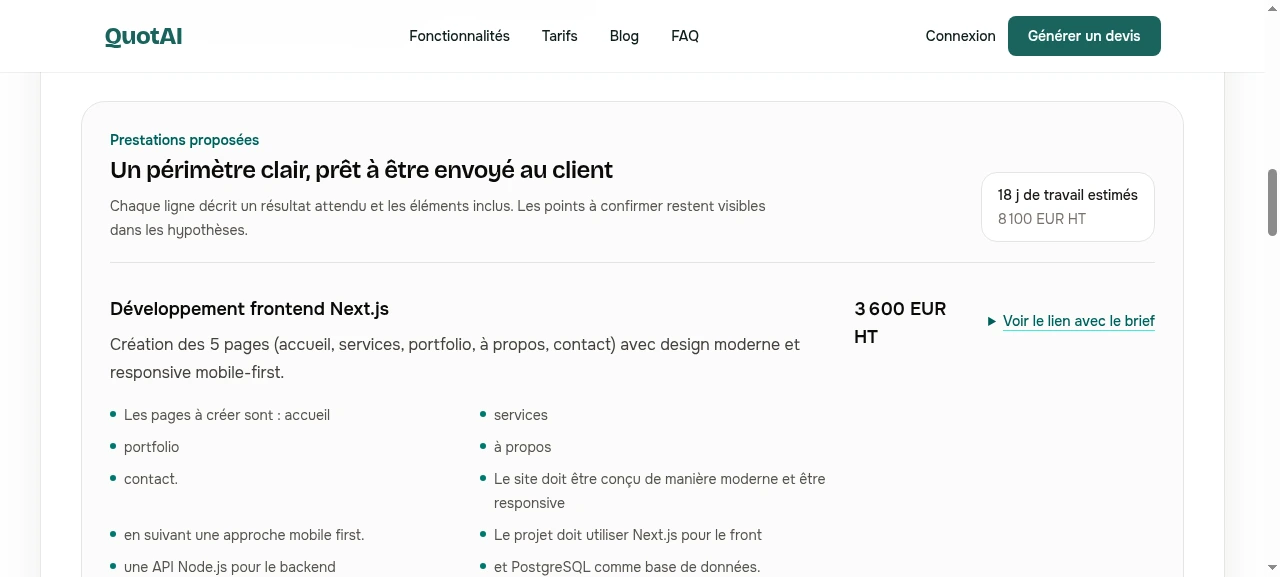
An application turns an audio, text or image brief into an editable quote, ready for PDF export and electronic signature.
Project previewExplore
The work delivered.
Their words afterwards.
AI development engineer
Reviewed on
Joseph did excellent work, delivered on time and communication was always outstanding throughout the project. We will continue working together!
President of SASU KL Conseil&Stratégie
Reviewed on
Joseph quickly understood my needs and, after our first conversation, turned my request into a practical tool. I’m now testing it in the field with professionals and the first feedback is encouraging. Joseph is available, professional and gives good advice. I recommend his services.
Recruitment business owner
Reviewed on
We asked Joseph to create a CRM and an ATS for our luxury-sector recruitment agency. Joseph understood our expectations very well and quickly grasped our environment and challenges. He doesn’t jump straight into a technical answer. He first seeks to understand the big picture, then guides and implements the decisions. That is a real advantage. I recommend him.

Implementing Factur-X and electronic signatures
Reviewed on
A very good collaboration with Joseph. Reliable, skilled, committed and genuinely adaptable. The subject, electronic signatures and Factur-X, was new to him, and he quickly adapted to a project under construction with all the constraints of a rapidly growing company. He listened carefully and showed a genuine ability to understand our technical and business challenges. I definitely recommend him for technical projects in changing environments.
How will we
work together?
- Your toolsYour day-to-day work is the starting point.
- Understand your workWe choose the first problem to solve.
- Test on your casesYou test. The solution is refined around your feedback.
- Make your team independentTraining provides the skills. Your team takes over.




One point of contact. A team of AI assistants.
An engineer’s rigour.
An entrepreneur’s perspective.
Keseul draws on over eight years of automotive engineering and motorsport experience. Understand the data, test, then decide. That discipline guides every project so the system holds up in everyday use.
With Equilibrition, that approach is also tested against the realities of running a product. Acquisition, users, costs and maintenance all count. Your project is designed as a useful investment from the outset.
AI assistants are part of how Keseul works. Joseph remains your single point of contact, oversees delivery and takes responsibility for it.
Meet the AI team JosephFounderYour human point of contact
 MichelAI assistantCommunity manager
 AliceAI assistantDevelopment & automation
 RobertAI assistantProspecting
 NoraAI assistantResearch & analysis
 JeanAI assistantBug & error reporting
 LéaAI assistantDesign & copywriting
The portraits and quotes personify Keseul’s AI assistants. Joseph oversees your project from the first conversation to delivery.
Automation & AI agents · FAQ
Before handing
some of your work to AI.
Investing to save time makes sense. Adding a fragile tool, unexpected costs or more work to check is less appealing. Here are the right questions to ask about your project.
Let’s discuss what’s getting in your wayWhere do I start?
How do I introduce an AI agent into my business?
Start with a specific task, the information required and the actions the agent may take. A limited initial scope lets you assess its usefulness before giving it more work. At Keseul, implementation follows five steps.
- Choose a real use case, such as reading an incoming enquiry and preparing its follow-up in the CRM.
- Gather useful data, check software access and define permitted actions.
- Build a first version with your instructions, tools and necessary human approvals.
- Test real situations, including incomplete requests and cases where the agent must stop.
- Roll out gradually, train users and track errors, costs and the time actually saved.
Which tasks should a small business automate first?
Start with a frequent, time-consuming task whose result is easy to check, such as re-entering a prospect’s contact details, requesting a missing document or preparing meeting notes. Compare the time lost, volume and risk of error. An infrequent task or unclear procedure often needs simplifying before it needs automating.
Identify a useful first projectWhat’s the difference between a chatbot, an automation and an AI agent?
A chatbot is a conversational interface. An automation follows defined rules, such as creating a record and notifying the team when a form arrives. An AI agent can interpret a request and choose actions from its authorised tools. A chatbot can therefore provide access to an agent, and an agent can be part of an automation.
Rules are often enough to transfer data between two applications. AI can be useful for understanding a free-text email and preparing a response suited to the case. The choice depends on the need and the work involved.
Can we automate without changing our CRM or software?
Often, yes. An automation can connect your current applications if their integration options allow it. Scoping checks available integrations, APIs, exports and subscription restrictions. The aim is to reduce duplicate entry within your familiar environment. Any fragile or impossible connection needs identifying before development.
Connect your existing toolsI already use ChatGPT. What would a tailored AI agent add?
A tailored AI agent becomes useful when you repeatedly copy context, search across tools or manually transfer answers into software. It can connect those steps with limited access and checks. For an occasional piece of writing or exploring an idea, your current assistant may already be enough.
See the agent integrated into Ulyces’s workflowsWhat budget, timeframe and return?
How much does a tailored AI agent or automation cost?
Cost depends on the process, connected software, data and level of oversight required. Distinguish initial development from recurring costs, including hosting, subscriptions, AI usage and maintenance. At Keseul, the quote defines the scope and these costs before development. A single price without examining your workflow would be misleading.
Connecting a form to a CRM is a different project from an agent that reads files, searches multiple sources and prepares actions. Starting with one use case helps limit the initial investment.
Describe my needs to scope the budgetHow can I tell whether an automation will pay off?
Compare the full automation cost with the work it actually removes. Measure monthly volume, time per case and current corrections, then deduct the verification time that will remain. Subscriptions and maintenance count too. Validate the benefit on an initial scope. Saving a few seconds on an infrequent task may not justify development.
Time freed up does not automatically become a cash saving. It can help you respond faster, support more clients or reduce your workload. We define what matters to you before measuring the outcome.
How long does it take to implement an AI agent?
Timing mainly depends on scope, tool access, data quality and the tests required. A convincing demo still needs work before it is ready for your clients. We define the stages and approvals together, prioritising a usable first version before expanding its scope.
I’m already short of time. Will I have to explain everything and train my team?
Your knowledge of the business remains essential, but you don’t need to write a technical specification. We start with a real case, your tools and a few exceptions. Meetings and approvals are scoped at the outset. Onboarding covers the actions that matter — using the system, checking its results and taking over when in doubt.
AI training is also part of the support. Experience teaching Codex and MCP for Elephorm informs an approach that makes the system understandable to the people who will use it.
Prepare your team to take overMy AI prototype works in a demo, but not day to day. Must we rebuild everything?
Not necessarily. A prototype may mainly lack reliable data, error handling, tests or an interface suited to real work. The analysis starts with what exists and the situations where it fails. The aim is to retain what works, then decide whether a targeted correction or a larger rebuild is justified.
Turn a prototype into a usable toolHow do I stay in control?
What if the AI agent invents an answer or sends an error to a client?
An AI agent can make mistakes, even with good instructions. Its sources and permissions need limits, difficult cases need testing and sensitive actions need human approval. For example, it can prepare an email without sending it. When information is missing or a check fails, the system should ask for your input before continuing.
Checks reduce risk but do not make AI infallible. Together, we decide what can run automatically and what must remain a proposal to review.
Where does my client data go when I use an AI agent?
Data may move between your software, the automation platform, hosting and the AI model provider. The route depends on the chosen solution. Before connecting client files, identify recipients, transmitted data, permissions and retention periods. Only information needed for the task should be shared.
Whether data may be used to train a model depends on the provider, plan and applicable terms. This must be checked. An AI feature alone is no reason to send a confidential file to a tool.
What happens if an automation breaks or an application changes?
Automations need monitoring. Access may expire, software may change or a document may arrive in an unexpected format. The project should include alerts, error history and a recovery procedure. Depending on the process, it may also include temporary manual processing and checks to prevent duplicates when retrying.
Maintenance scope, cost and intervention arrangements must be defined in the service agreement. These are separate from software subscriptions and any expectation of ongoing support.
Will I depend on you for every change?
Independence is planned from the design stage, with identified accounts, documented operation and accessible routine settings. Your team can make some changes, while others require technical skills. Access handed over, rights to deliverables and third-party handover conditions should be defined in the contract, taking tool licences into account.
Could AI make my client relationships less human or replace my team?
AI’s role depends on the tasks you assign it. It can prepare a file, find information or suggest a reply while your team handles conversations, decisions and delicate situations. Automating preparation frees up attention for the client. A human conversation can remain the best approach when it adds more value.
See tools supporting candidate follow-upLet’s start with what weighs you down.
Which task would you like
off your list next Monday?
Describe your daily work and tools. Together, we’ll identify what is worth simplifying, automating or delegating.